Tuesday, March 4, 2008

Windows and software installation automation in an enterprise.

IT department automation in an enterprise.

Recommended: for the heads of enterprises, IT departments, system administrators

This article will tell you:

  • How to quickly install Windows on all computers of an enterprise.
  • How to quickly upgrade software on all enterprise computers without losing any data.
  • How to automate all kinds of routine processes in an enterprise.
  • How to increase the productivity of system administrators in an enterprise.

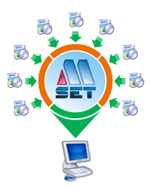
Any company faces the problem of timely software update on all computers as well as the problem of the quick recovery and configuration of an employee's working environment. To solve this problem we offer our product: Almeza MultiSet.

A company before using MultiSet:

  • The software is installed/configured manually with the employee working with this computer being idle at this time.
  • Databases are updated, computers are configured, software is set up - all that is also done manually and requires the administrator to be present at every computer.
  • Every remote office requires system administrators to be employed
  • The IT staff has to be arranged to be on duty 24 hours a day.
  • Expenses on business trips made by technical specialists are necessary.

You get the following benefits after you deploy MultiSet in your company:

  • You will need only 1 administrator at any point on the network to update any amount of software on any number of computers. Note that the time needed to update software on all computers will be approximately equal to the time needed for one computer!
  • It is possible to quickly change the configuration on multiple or separate computers throughout the entire network. Note that the administrator has to be physically present at one computer only.
  • It is possible to quickly and safely reinstall WindowsXP without losing any current data!
  • It is possible to create a master disk for the standard automatic installation of a set of software on any number of computers.
  • It is possible to automatically install Windows together with drivers, service packs, any types of tools and applications.
  • It is possible to quickly update databases, configuration files on client computers.
  • Using MultiSet dramatically increases the effectiveness of using the office hours of the IT administration department.

Why particularly MultiSet?

  • Reliability. MultiSet reliably runs on any type of Windows operating system.
  • Quickness. Due to its innovational algorithm, MultiSet performs its functions fast, exactly and, which is most important, reliably.
  • Trustworthiness.. Among our clients there are banks, government organizations, customer support services, large corporations, which proves the actual usefulness of MultiSet in practice.
  • Flexible pricing policy. We offer a very flexible pricing policy that allows you to cover a large number of computers at minimum cost.
  • Low system requirements. MultiSet has minimum system requirement for its work. MultiSet supports the following operating systems: Windows Vista/XP/2003/2000 (32-bit) and Windows Vista/XP/2003 (64-bit).

SOLUTIONS FOR SMALL BUSINESS

Small organizations often do not have enough funds to employ an administrator and it often happens that regular employees have to update and configure software.

MultiSet will allow you to reduce expenses on calling administrators for every client computer, save a lot of time for everyone and therefore provide more time for employees to spend on their direct duties.

Download Free 30-day Trial:
http://www.almeza.com/download/multiset.exe

Web:
Automatic software installer

Monday, March 3, 2008

Unattended installation of WindowsXP, software, drivers, service packs.

One-click automatic Windows XP installation!

Want to create a WindowsXP unattended installation disk that would automatically install the system without asking questions about the username, product key, time and locale settings?

At the same time your favorite applications are automatically installed, the necessary keys are entered into the registry, drivers are updated, new patches (service packs) from Microsoft are installed. It is all possible and you can easily do it with Almeza MultiSet!

Unattended software installation. MultiSet will automatically install all the applications you require, either onto your original computer or onto a new one. It's an ideal solution for rebuilding your systems quickly! Install Unattended!

If you work as a system administrator in an organization and maintain a lot of computers, you are sure to have come across the situation when you had to buy a consignment of computers and install all kinds of software on each of them. The direct consequence of such a situation is that you have to repeat a lot of routine operations – change media in optical drives, enter registration data, follow the instructions of installation wizards.

The MultiSet software allows you to install all necessary software automatically. Its functioning comes down to saving the operations of the user and reproducing all operations automatically later. Besides, you can create a universal disk for installing software from any media in the batch mode.

Create a stand-alone unattended installation CD! You can use MultiSet software to create a universal disk for automatic installing software onto a computer using any media (CD/DVD/Flash/Hard Drive). Automatic Installation Anywhere!

Now you can install the programs in any location and as many times as you want - just insert the disk into the CDROM, DVDROM or FlashDrive, and MultiSet will undertake the complete installation procedure for you!!!

Unattended Installation Software
Download Almeza MultiSet

Unattended Installation Windows and Software.

Want to create a WindowsXP unattended installation disk that would automatically install the system without asking questions about the username, product key, time and locale settings?

At the same time your favorite applications are automatically installed, the necessary keys are entered into the registry, drivers are updated, new patches (service packs) from Microsoft are installed. It is all possible and you can easily do it with Almeza MultiSet!

Unattended software installation. MultiSet will automatically install all the applications you require, either onto your original computer or onto a new one. It's an ideal solution for rebuilding your systems quickly! Install Unattended!

Create a stand-alone unattended installation CD! You can use MultiSet software to create a universal disk for automatic installing software onto a computer using any media (CD/DVD/Flash/Hard Drive). Automatic Installation Anywhere!

Now you can install the programs in any location and as many times as you want - just insert the disk into the CDROM, DVDROM or FlashDrive, and MultiSet will undertake the complete installation procedure for you!!!

Do you want to automate installation of programs but have no time to learn how to write the necessary scripts? Do you prefer simple and convenient solutions? Do you want to see the results immediately? This is just the answer you have been looking for!

Download Almeza MultiSet