A new version of LeaderTask Company Management 6.1 has been released!
What's new?
LeaderTask Company Management is a program for managing the activity of a group of people - both small teems and large organizations. The LeaderTask system helps the head of a company quickly get information about the current state of affairs regarding projects, tasks, employees.
LeaderTask Company Management features:
1)Multi-user tasks management system for the company's employees simultaneous use.
2)Real-time project management.
3)Task assignment: the responsible person, terms, priorities, attitude to projects, categories.
4)Monitoring all assigned tasks: what tasks are in progress, at what stage they are, their history...
5)Monitoring the workload of the company's staff.
6)Evaluating every employee's efficiency.
7)Comprehensive overview of the company's current affairs, even if you are a away for a long time.
8)Regular reports about employees' work
9)Clear overview of tasks from customers: who ordered (assigned), terms, priority, task details.
10)Effective team cooperation: quick message, file, note, document exchange...
11)Clear information access right distribution. Employees have access only to those tasks that were delegated to them, only the owner has access to the entire database.
12)Communication history: employees, partners, customers, suppliers...
13)Complete history for tasks, projects, messages, employees.
14)Managing documents sorted by clients, projects, time, priority.
15)Replacing paper reports from managers
Download:
http://www.leadertask.com/download/ltcompany.zip
WWW:
http://www.leadercommand.com/
Monday, December 15, 2008


Thursday, November 13, 2008
Almeza Company
LeaderTask benefits:
 Portability. You can always use LeaderTask wherever you are: at home, in office, on a trip or anywhere else. You can carry the organizer on a USB drive. Storing all data in one place allows you to easily move LeaderTask to other computers. All information will always be at hand wherever you are!
 File container. Storing copies of files of any type. LeaderTask can store any files in its database: Excel spreadsheets, Word documents, images… Moreover, it does not can store both files inside LeaderTak and links to external files.

Synchronization
Tuesday, November 11, 2008
MultiSet 6.3
Almeza MultiSet 6.3 Build 110 has been released
Version 6.3 (November, 2008)
* automatic language detection
* an error with command 'amstart' was fixed
* an error with template %cdrom% was fixed
* an error with template %computername% was fixed
* the Byelorussian language has been added
Download unattended installer windows
Version 6.3 (November, 2008)
* automatic language detection
* an error with command 'amstart' was fixed
* an error with template %cdrom% was fixed
* an error with template %computername% was fixed
* the Byelorussian language has been added
Download unattended installer windows
Monday, November 3, 2008
LeaderTask organizer 6.0!

A new version of LeaderTask 6.0 has been released!
What's new?
+ Full export / import of MS Outlook
+ Import from GoogleCalendar iCal format
+ Working with multiple data files:
(new / open / save)
+ Added option selecting the font in the taskbar
+ Improved notes and links
+ Realized a lot of small improvements and bug fixes
Download organizer
Tuesday, October 14, 2008
Advanced Windows Unattended Installer
FREEWARE!!! Advanced Windows Unattended Installer v. 2.2 FREEWARE!!!
The age of manual Windows installation is over. Reinstalling Windows without any data loss. Want to create a WindowsXP installation disk that will automatically install the system without asking questions about username, product key, time and locale settings? At the same time your favorite applications are automatically installed, the necessary keys are entered into the registry, drivers are updated, new patches are installed.

Tuesday, September 23, 2008
Almeza MultiSet 6.2 Build 795 has been released
Version 6.2 (September, 2008)
* the program kernel was improved
* some bugs were fixed
* the automatic installation rate has increased
* an error with creating log file was fixed
* the Romanian language has been updated
* the Greek language has been updated
Download unattended installer
* the program kernel was improved
* some bugs were fixed
* the automatic installation rate has increased
* an error with creating log file was fixed
* the Romanian language has been updated
* the Greek language has been updated
Download unattended installer
Monday, September 22, 2008
Thursday, September 4, 2008
Calendar reminder software
I would like to have the following additions if possible:
1. Save and Saveas facility to save the database file in another location (at present, there is no way of knowing if the file is saved when power goes off suddenly, or if I want to save the database file to another location for example a USB drive)
2. Daily Journal facility ( Now I am using DavidRM's The Journal for this)
3. Ability to insert Tables from Access,Excel etc., and also pictures in to "Note" ( When I am copying and pasting Tables in to "Notes", when I resize the Note, the text is out of alignment with the cells in the table and I find that some of the text is outside the table and I can not do anything about this).
4. The recurring event facility is very confusing. I do not know how to use it. My requirement is like this: I need to be reminded every month on a particular day about a payment due date for ever. Or I would like to be reminded once a year on a particular day of an event etc., I do not know how to setup the same.
5. Ability to change the skin of the application ( themes or skins )
6. Ability to import text or CSV file as individual tasks
7. At the moment, I can not filter based on PRIORITIES. Filtering based on priorities would be very useful .For example, all tasks which are URGENT can be shown with one click in Filters
8. Further, another requirement is as following: In PERIODS, you have very thoughtfully included " Amount of days" and "Offset days". In "Offset days" you have a provision for - and + days. It would be very useful, if you can have both the options + and - at the same time for the same period. For example, suppose I want to see all tasks for the last three days from today and two days ahead from today, I am not able to setup a Period now with that setup. If you allow this provision of defining past days and also future days, it would be very useful.
Thank you very much for such a nice software. I am able to do more work now as I can see how much work I have in front of me in a perspective. I appreciate your willingness to accept suggestions readily to improve the software further. I am very aware of the fact that the software must not become too complicated and hence I request you to consider the above suggestions only if they do not make the software complicated to use.
Thanks again.
birthday reminder software
1. Save and Saveas facility to save the database file in another location (at present, there is no way of knowing if the file is saved when power goes off suddenly, or if I want to save the database file to another location for example a USB drive)
2. Daily Journal facility ( Now I am using DavidRM's The Journal for this)
3. Ability to insert Tables from Access,Excel etc., and also pictures in to "Note" ( When I am copying and pasting Tables in to "Notes", when I resize the Note, the text is out of alignment with the cells in the table and I find that some of the text is outside the table and I can not do anything about this).
4. The recurring event facility is very confusing. I do not know how to use it. My requirement is like this: I need to be reminded every month on a particular day about a payment due date for ever. Or I would like to be reminded once a year on a particular day of an event etc., I do not know how to setup the same.
5. Ability to change the skin of the application ( themes or skins )
6. Ability to import text or CSV file as individual tasks
7. At the moment, I can not filter based on PRIORITIES. Filtering based on priorities would be very useful .For example, all tasks which are URGENT can be shown with one click in Filters
8. Further, another requirement is as following: In PERIODS, you have very thoughtfully included " Amount of days" and "Offset days". In "Offset days" you have a provision for - and + days. It would be very useful, if you can have both the options + and - at the same time for the same period. For example, suppose I want to see all tasks for the last three days from today and two days ahead from today, I am not able to setup a Period now with that setup. If you allow this provision of defining past days and also future days, it would be very useful.
Thank you very much for such a nice software. I am able to do more work now as I can see how much work I have in front of me in a perspective. I appreciate your willingness to accept suggestions readily to improve the software further. I am very aware of the fact that the software must not become too complicated and hence I request you to consider the above suggestions only if they do not make the software complicated to use.
Thanks again.
birthday reminder software
Wednesday, September 3, 2008
Planning software
Creating and developing a new project requires attention and preciseness. There are no trifles in it. Any detail may turn into a drawback and a drawback may be fatal for the project. New trends appearing regularly are a peculiarity of my job. Something is dropped later, something turns into working schemes. Any project starts from creating a scheme. A scheme is a mind map. (I will not dwell on the convenience and techniques of using mind maps in this article, if you get interested, you can always find more information on the Internet.) A ready mind map is easily entered into LT with its tree-like structure of tasks. Then you only have to determine specific deadlines and assign responsible persons. Determine checkpoints. (A checkpoint is a point on a timeline corresponding to the time when the progress is checked in this or that project. The current progress of the project is checked, which makes it possible to track the dynamics and make amendments, if necessary.) After that you can use the obtained information to make a decision what to do next: - continue it; - stop it; - modify the direction of the project.
Chore List Software
Chore List Software
Tuesday, March 4, 2008
Windows and software installation automation in an enterprise.
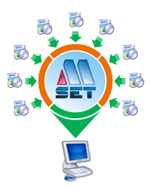 IT department automation in an enterprise.
 Recommended: for the heads of enterprises, IT departments, system administrators
This article will tell you:
- How to quickly install Windows on all computers of an enterprise.
- How to quickly upgrade software on all enterprise computers without losing any data.
- How to automate all kinds of routine processes in an enterprise.
- How to increase the productivity of system administrators in an enterprise.
Any company faces the problem of timely software update on all computers as well as the problem of the quick recovery and configuration of an employee's working environment. To solve this problem we offer our product: Almeza MultiSet.
A company before using MultiSet:
- The software is installed/configured manually with the employee working with this computer being idle at this time.
- Databases are updated, computers are configured, software is set up - all that is also done manually and requires the administrator to be present at every computer.
- Every remote office requires system administrators to be employed
- The IT staff has to be arranged to be on duty 24 hours a day.
- Expenses on business trips made by technical specialists are necessary.
You get the following benefits after you deploy MultiSet in your company:
- You will need only 1 administrator at any point on the network to update any amount of software on any number of computers. Note that the time needed to update software on all computers will be approximately equal to the time needed for one computer!
- It is possible to quickly change the configuration on multiple or separate computers throughout the entire network. Note that the administrator has to be physically present at one computer only.
- It is possible to quickly and safely reinstall WindowsXP without losing any current data!
- It is possible to create a master disk for the standard automatic installation of a set of software on any number of computers.
- It is possible to automatically install Windows together with drivers, service packs, any types of tools and applications.
- It is possible to quickly update databases, configuration files on client computers.
- Using MultiSet dramatically increases the effectiveness of using the office hours of the IT administration department.
Why particularly MultiSet?
- Reliability. MultiSet reliably runs on any type of Windows operating system.
- Quickness. Due to its innovational algorithm, MultiSet performs its functions fast, exactly and, which is most important, reliably.
- Trustworthiness.. Among our clients there are banks, government organizations, customer support services, large corporations, which proves the actual usefulness of MultiSet in practice.
- Flexible pricing policy. We offer a very flexible pricing policy that allows you to cover a large number of computers at minimum cost.
- Low system requirements. MultiSet has minimum system requirement for its work. MultiSet supports the following operating systems: Windows Vista/XP/2003/2000 (32-bit) and Windows Vista/XP/2003 (64-bit).
SOLUTIONS FOR SMALL BUSINESS
Small organizations often do not have enough funds to employ an administrator and it often happens that regular employees have to update and configure software.
MultiSet will allow you to reduce expenses on calling administrators for every client computer, save a lot of time for everyone and therefore provide more time for employees to spend on their direct duties.
Download Free 30-day Trial:
http://www.almeza.com/download/multiset.exe
Monday, March 3, 2008
Unattended installation of WindowsXP, software, drivers, service packs.
One-click automatic Windows XP installation!
Unattended Installation Software Want to create a WindowsXP unattended installation disk that would automatically install the system without asking questions about the username, product key, time and locale settings?
At the same time your favorite applications are automatically installed, the necessary keys are entered into the registry, drivers are updated, new patches (service packs) from Microsoft are installed. It is all possible and you can easily do it with Almeza MultiSet!
Unattended software installation. MultiSet will automatically install all the applications you require, either onto your original computer or onto a new one. It's an ideal solution for rebuilding your systems quickly! Install Unattended!
 If you work as a system administrator in an organization and maintain a lot of computers, you are sure to have come across the situation when you had to buy a consignment of computers and install all kinds of software on each of them. The direct consequence of such a situation is that you have to repeat a lot of routine operations – change media in optical drives, enter registration data, follow the instructions of installation wizards.
The MultiSet software allows you to install all necessary software automatically. Its functioning comes down to saving the operations of the user and reproducing all operations automatically later. Besides, you can create a universal disk for installing software from any media in the batch mode.
Create a stand-alone unattended installation CD! You can use MultiSet software to create a universal disk for automatic installing software onto a computer using any media (CD/DVD/Flash/Hard Drive). Automatic Installation Anywhere!
Now you can install the programs in any location and as many times as you want - just insert the disk into the CDROM, DVDROM or FlashDrive, and MultiSet will undertake the complete installation procedure for you!!!
Download Almeza MultiSet
Unattended Installation Windows and Software.
Want to create a WindowsXP unattended installation disk that would automatically install the system without asking questions about the username, product key, time and locale settings?
Download Almeza MultiSet
At the same time your favorite applications are automatically installed, the necessary keys are entered into the registry, drivers are updated, new patches (service packs) from Microsoft are installed. It is all possible and you can easily do it with Almeza MultiSet!
Unattended software installation. MultiSet will automatically install all the applications you require, either onto your original computer or onto a new one. It's an ideal solution for rebuilding your systems quickly! Install Unattended!
Create a stand-alone unattended installation CD! You can use MultiSet software to create a universal disk for automatic installing software onto a computer using any media (CD/DVD/Flash/Hard Drive). Automatic Installation Anywhere!
Now you can install the programs in any location and as many times as you want - just insert the disk into the CDROM, DVDROM or FlashDrive, and MultiSet will undertake the complete installation procedure for you!!!
Do you want to automate installation of programs but have no time to learn how to write the necessary scripts? Do you prefer simple and convenient solutions? Do you want to see the results immediately? This is just the answer you have been looking for!
Subscribe to:
Posts (Atom)